Delete Company Transactions
You can delete all the transaction data like Sales Invoices, Sales Orders associated with a company and start afresh, while keeping the other master data like Customers, Items, BOMs intact.
Users frequently set up all the master data before producing a few test records. They then want to start anew by erasing the fake records and the firm. There are two ways to do this:
1. Transaction Deletion Tool
With the exception of the entries that belong to the Doc Types defined in the Excluded Doc Types table, this feature enables you to delete all the documents connected to the selected company.
Go to: to access the Transaction Deletion Tool.
Home > Setup > Transaction Deletion Tool
Use this with caution because records deleted with it cannot be retrieved. However, if you're positive you want to restart, take these actions:
- Access the Transaction Deletion Tool.
- Click New to start a new document.
- The company whose records you want to erase should be entered.
- Publish and save.
And presto, your business is in like-new condition.
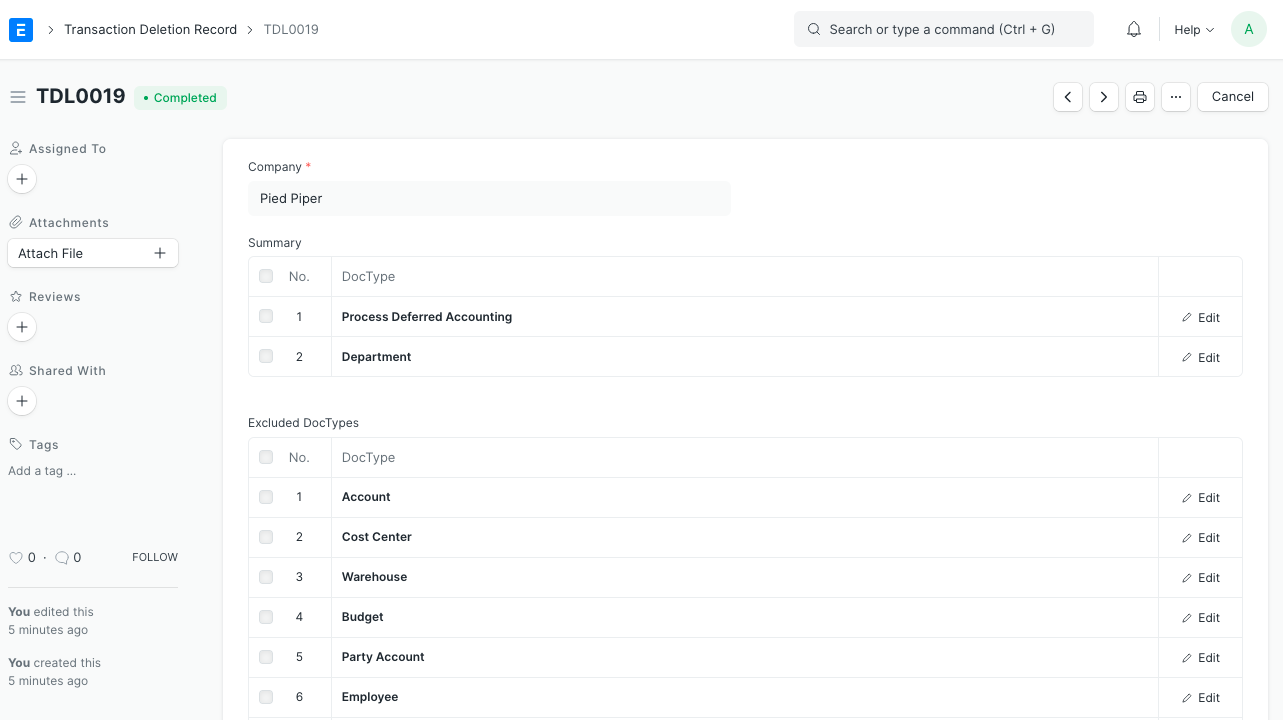
The names of the Doc Types whose records were removed are shown in the Summary table, along with the quantity of records that were deleted.
2. Delete Transactions
- Find your firm by going to Home > Accounting > Company.
- You can delete transactions by clicking the Manage button in the top right corner.
- your password here.
- To confirm, provide the name of the business.

With this, a document in the Transaction Deletion Tool Doc Type will be submitted.

Note:
The user must be in the System Manager role in order to carry out this activity.