Checking Link Between Documents
In Geer ERP, any document can be connected to a variety of other documents.
The 'Links' tool gives you an option to check if the current document is linked to any previous documents and lists down all the forward links.
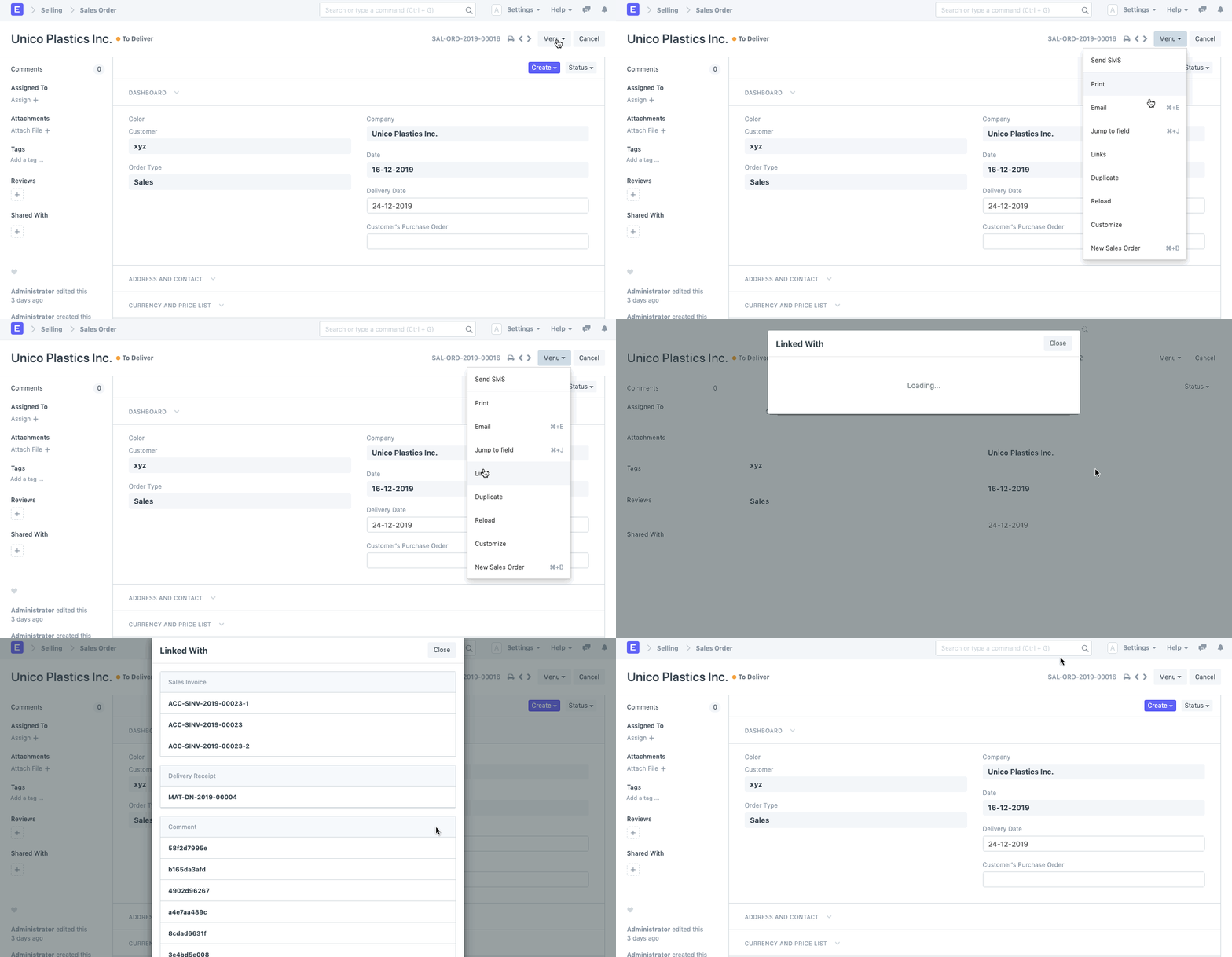
You can do this by selecting "Links" from the menu. All the documents that have been linked to this document will be listed in a Pop-Up window that will appear.
Note: This option will only show you the forward links in a document; the backward links can be found within the document itself.
E.g., if you want to check, which Sales Invoices are linked to your Sales Order, you can check the 'Links' from the dropdown menu. However, the information about the Quotation with which this Sales Order has been linked shall be present within the Document itself.