Payment Reconciliation
Payment Reconciliation
Reconciliation of Payments is used to connect payments to invoices.
Often there is no clear connection between payments and invoices in complex situations, particularly in the capital goods sector. Consider the following scenario: You give a customer bills, the client sends you block payments or payments based on a timetable unrelated to your invoices.
In these situations, Payment Reconciliation can be used to reconcile payments and invoices.
Home > Accounting > Accounts Receivable > Payment Reconciliation
1. How to Match Payments with Invoices
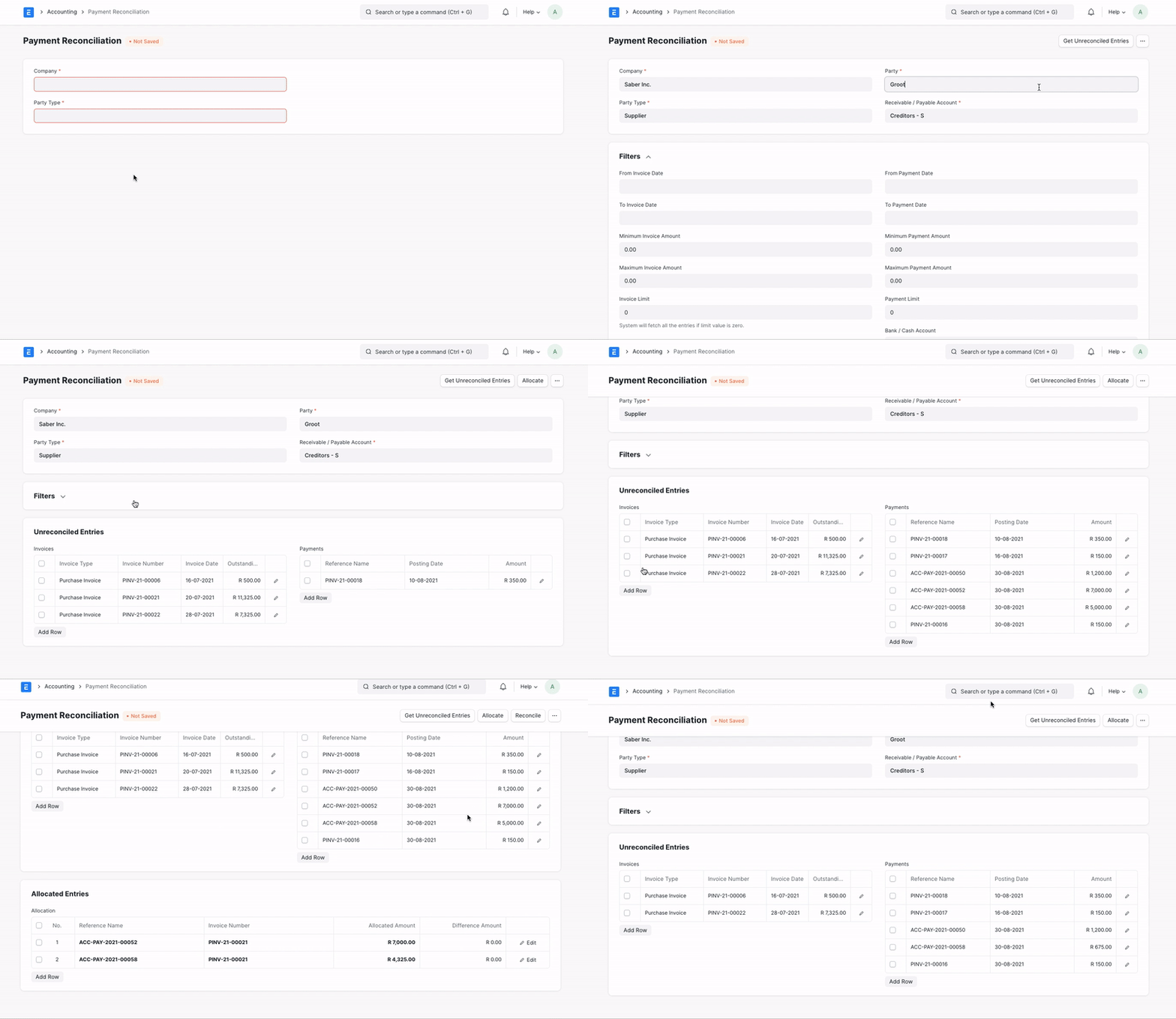
1.Go to Payment Reconciliation.
Select a Company.
Select a Party Type and select the Party. The Receivable/Payable account will be selected automatically.
Select the Bank/Cash account against which the payments need to be reconciled.
If you want to filter the records, select a date range for the invoices or set minimum or maximum amount for invoices as well as payment transactions
Click on the Get Unreconciled Entries button.
This will fetch all un-linked invoices and payment transactions from that party in Invoices and Payments table resp.
You can either select any particular entries to be allocated or can click on Allocate button without selecting anything to allocate all the entries.
Allocation table will be populated based on FIFO or/and selection.
Allocated Amount is the amount you want to allocate for the reconciliation.
Click on Reconcile to reconcile allocated entries. You will get a message that says 'Successfully Reconciled'.