Document Follow
Introduced in v12
Document Follow is a feature that allows users to track changes in documents via email notifications.
1. How to Activate Document Follow
- Activate Settings > My Settings.
- Select "Send Notifications for documents followed by me" in the Document Follow section.
- Decide how often you wish to receive emails.
- Email notifications are now available for the documents you follow.
1.1 How to Follow documents
- You can choose to follow any document if you get there.
- Then select "Follow."
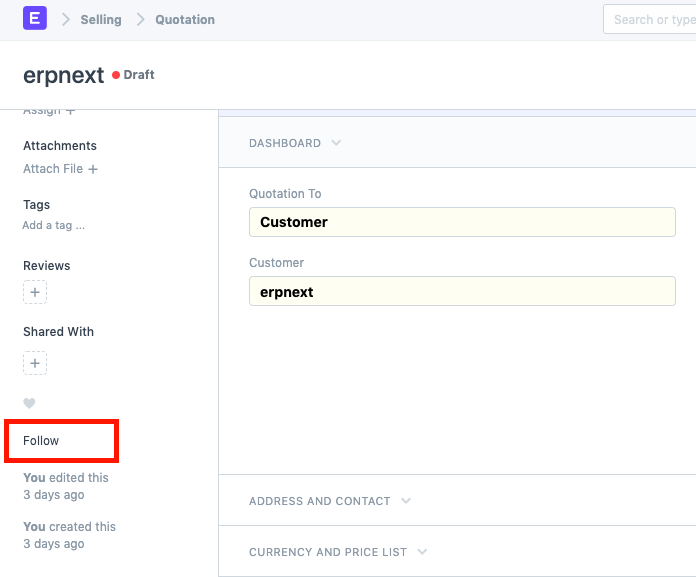
- You can unfollow a document after following it.
- Keep in mind that only documents whose track changes are enabled can be followed.
- Go to Menu > Customize > select the Track Changes checkbox to enable track changes.
1.2 Automatic Follow
Activating Document Follow under the following circumstances will cause the document to be automatically followed:
- whenever you start a fresh document.
- any time you change a document.
- utilize the heart icon to indicate your liking for a document.
- You will be following the document if another user shares it with you or adds you to it.
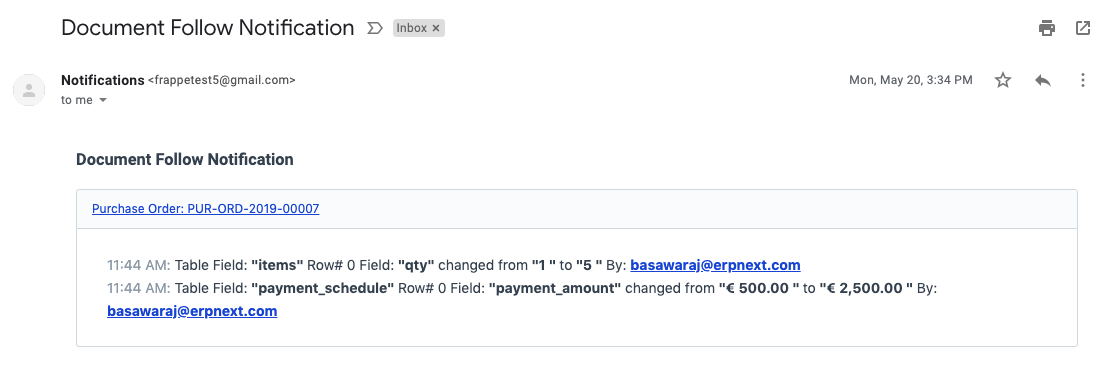
An email notification for Document Follow will seem as follows: