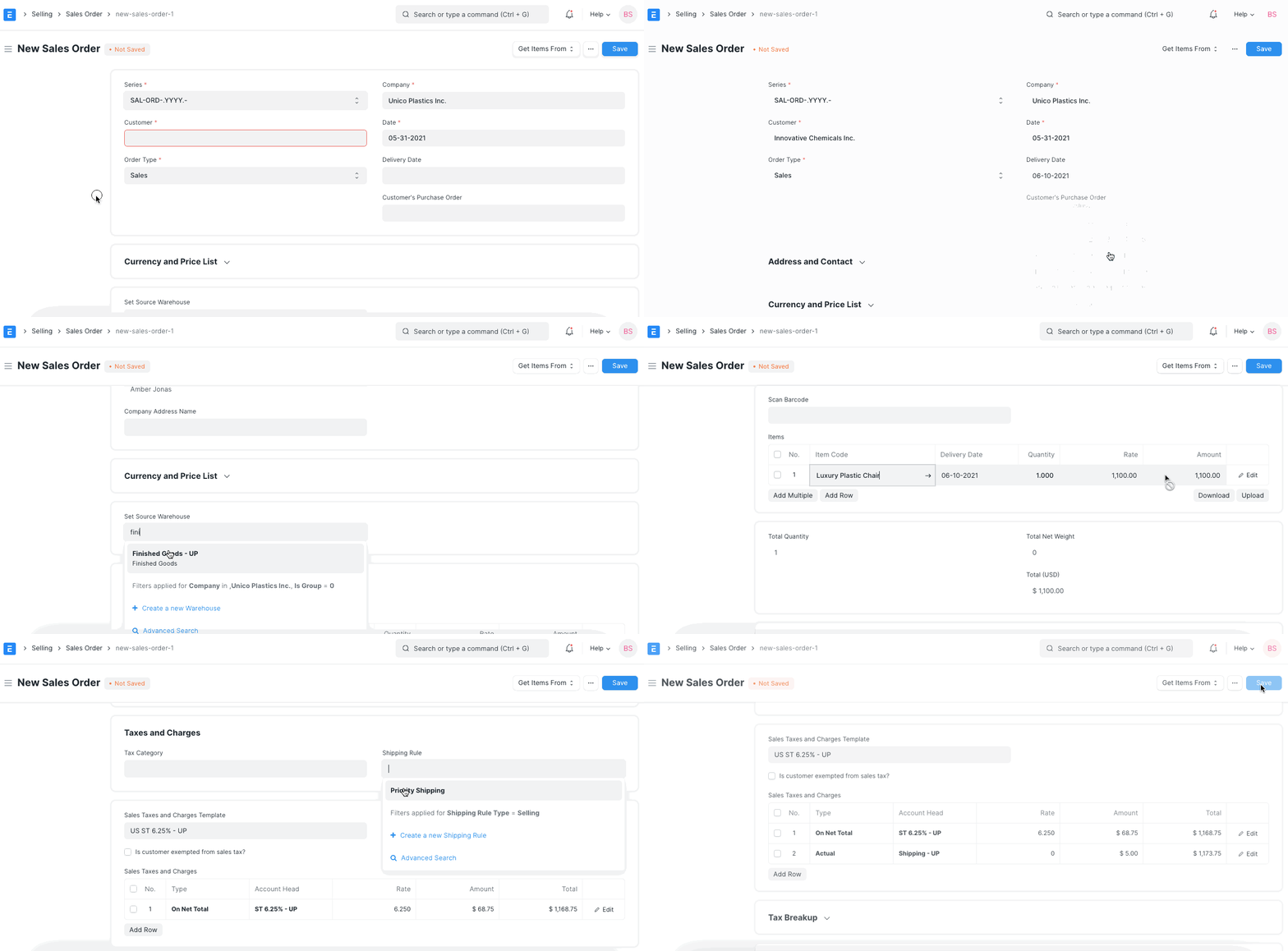
Shipping Rules
Shipping Rule
A rule that determines how shipping charges are applied to sales transactions can be defined with the aid of a shipping rule master.
The majority of businesses (mostly retail) base their shipping charges on the sum of the invoice. Shipping charges are reduced if the invoice value exceeds a particular amount. When the invoice value is low, the shipping costs are slightly higher than when the invoice value is high. The requirement of adjusting shipping charges based on the Net Total of sales transactions can be addressed by setting up a shipping rule.
Go to: to put up a shipping rule.
Selling > Setup > Shipping Rule or Accounts > Setup > Shipping Rule
Shipping Rule Conditions
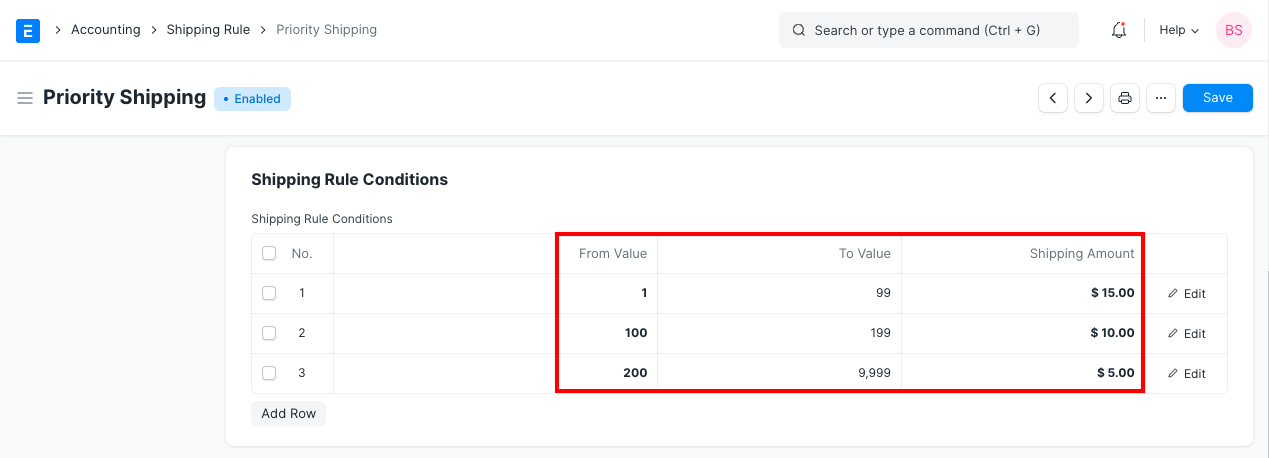
As you can see from the example above, shipping costs are falling as value rises. Only if the transaction total falls within one of the aforementioned ranges will this shipping fee be charged.
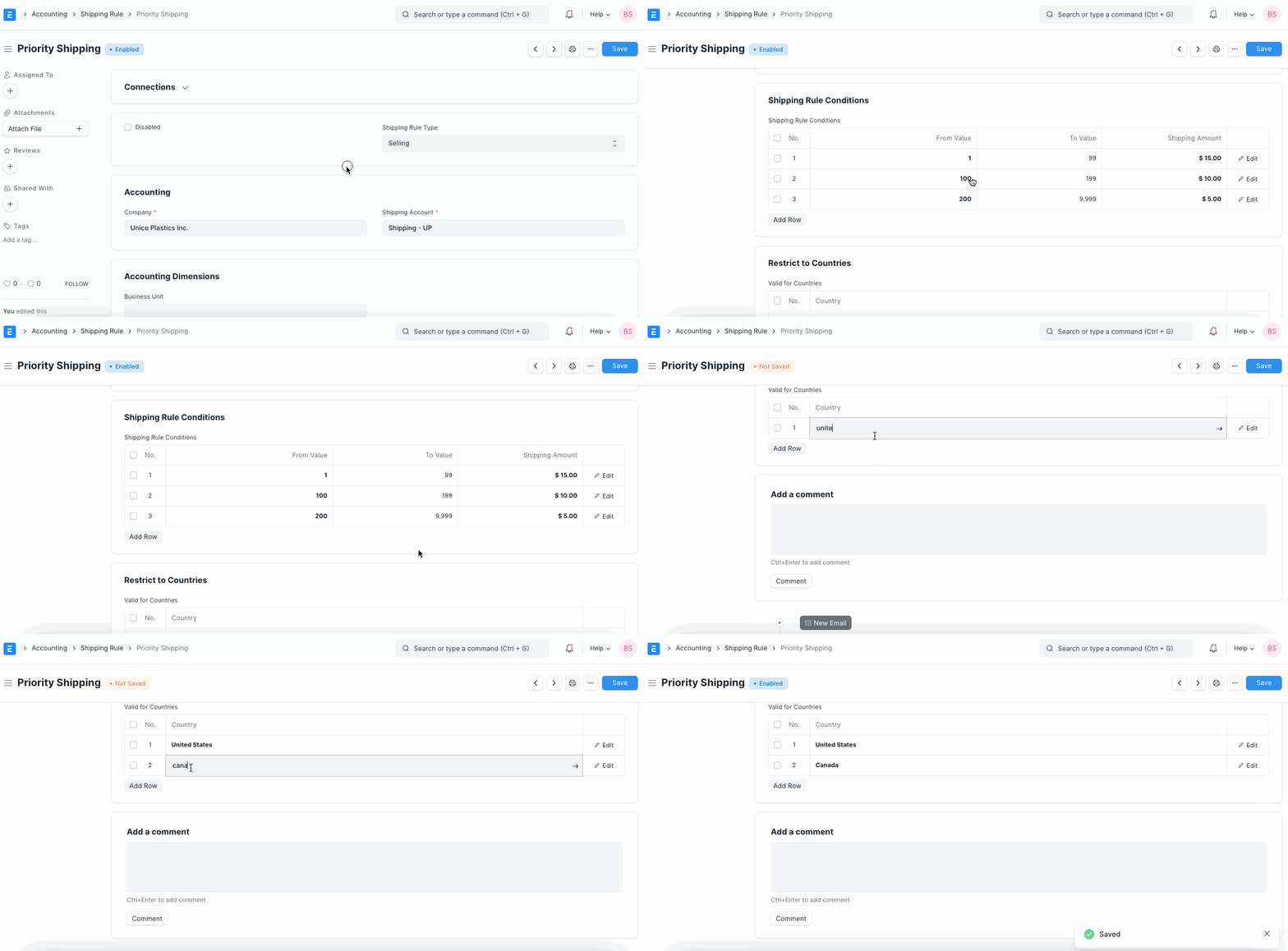
Valid for Countries
You can pick a specific country or set Shipping Costs to be applied to all nations. Shipping fees will only be charged if the customer's nation matches the country listed in the shipping rule, if particular countries are indicated.
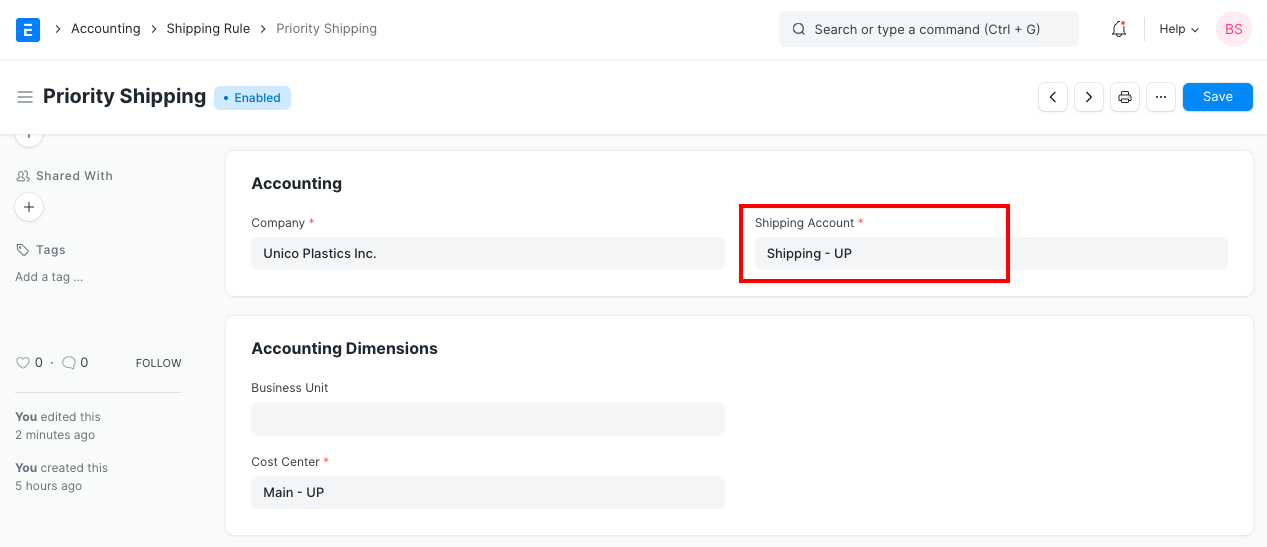
Shipping Account If shipping fees are calculated according to the shipping rule, other values, such as the shipping account and cost center, will also be required in order to add a row to the transaction's Taxes and Other Charges table. Hence, the Shipping Rule tracks these details as well.
Shipping Rule Application Here is an illustration of how a shipping rule-based automatic application of shipping charges to a sales order works.