Loyalty Program
Loyalty Program
Consumers can participate in a loyalty program to earn points by spending a particular amount, which they can then use to make future purchases.
A customer loyalty program is a planned, sustained marketing initiative that offers rewards to loyal customers. Effective programs are created to encourage Customers in a company's target market to return frequently, buy frequently, and avoid rivals.
Go here: to see the Loyalty Program list.
Home > Retail > Retail Operations > Loyalty Program
1. Prerequisites
Prior to developing and implementing a loyalty program, it is suggested that the following be initially created:
1.Customer
2.Sales Invoice
2. How to Create a Loyalty Program
1.Go to the Loyalty Program list and click on New.
2.Enter a Name for the Loyalty Program.
3.Select whether the program is Single Tiered or Multi Tiered (gold, silver, etc).
4.Set a start and end date for the program.
5.Select the Customer Group and Territory for which this program is applicable, the default is all.
6.For opting in all Customers by default, tick on 'Auto Opt In (For all customers)'. Otherwise, the program needs to be assigned from the Customer master.
7.In the table, enter:
2.Tier name: To be assigned to a Customer based on his eligibility. 3.Collection Factor: How much amount needs to be spent to gain 1 Loyalty Point in ERPNext. 4.Minimum Amount: Minimum amount to be spent to qualify into a tier.
8.Set the Conversion Factor, eg: 10 USD = 1 point.
9.Save.
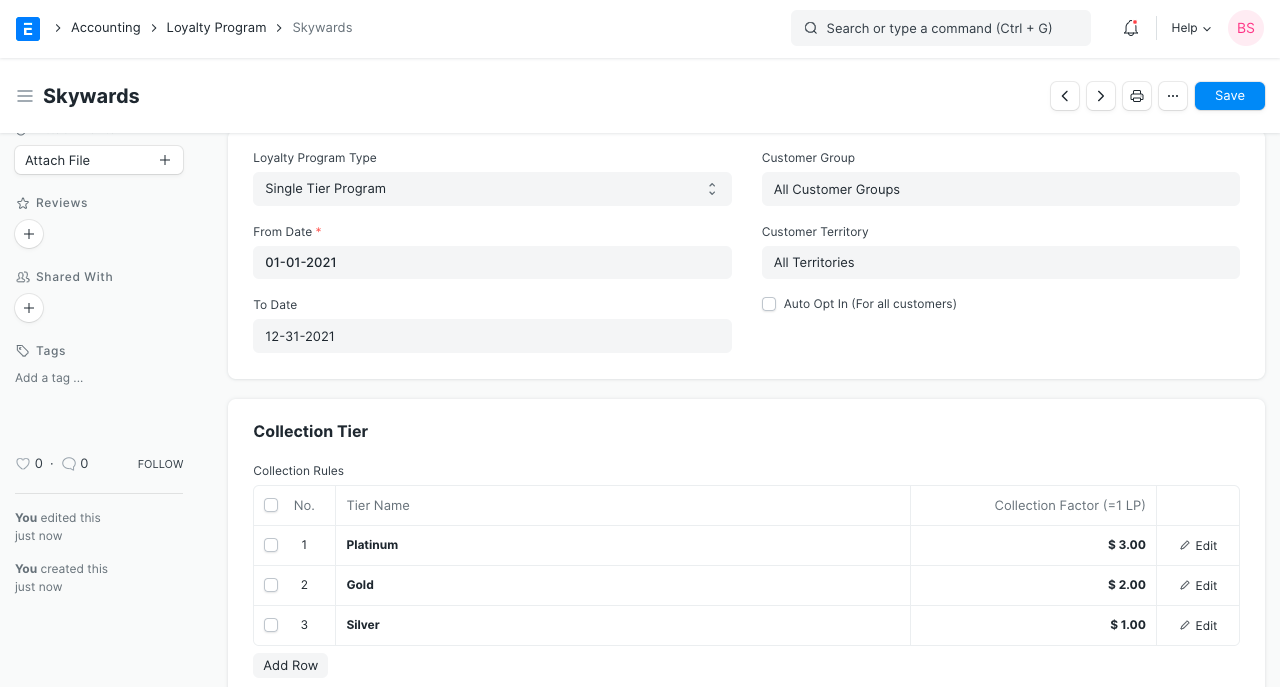
2.1 Redemption section
Conversion Factor: This element determines the value of one loyalty point when redeeming them. If a customer has 100 loyalty points, for instance, and each loyalty point is worth one dollar, they can use those points to pay for future purchases of up to 100 dollars' worth of goods.
Expenses Account: Establish an expense account from which you will pay perks. To track the advantages that are provided separately is useful.
Expiry Duration (in days) After the number of days specified in this field, the accumulated loyalty points will expire.
2.2 Loyalty Points in Customer
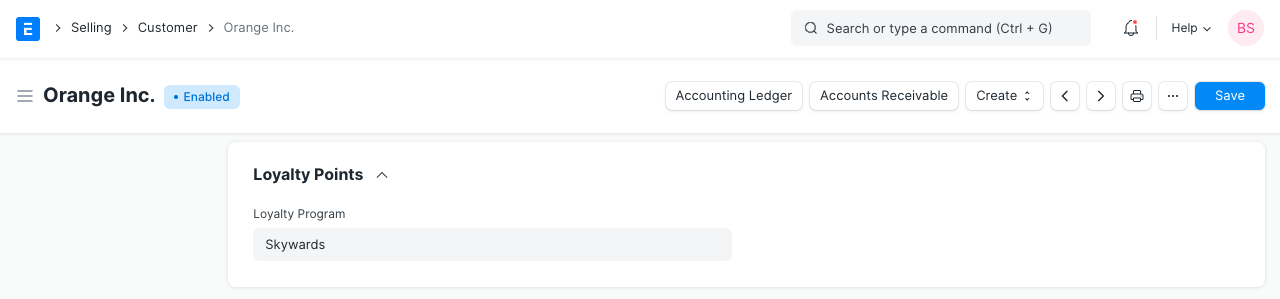
To attach a Loyalty Program to a Customer, create a Loyalty Program section in the Customer master.
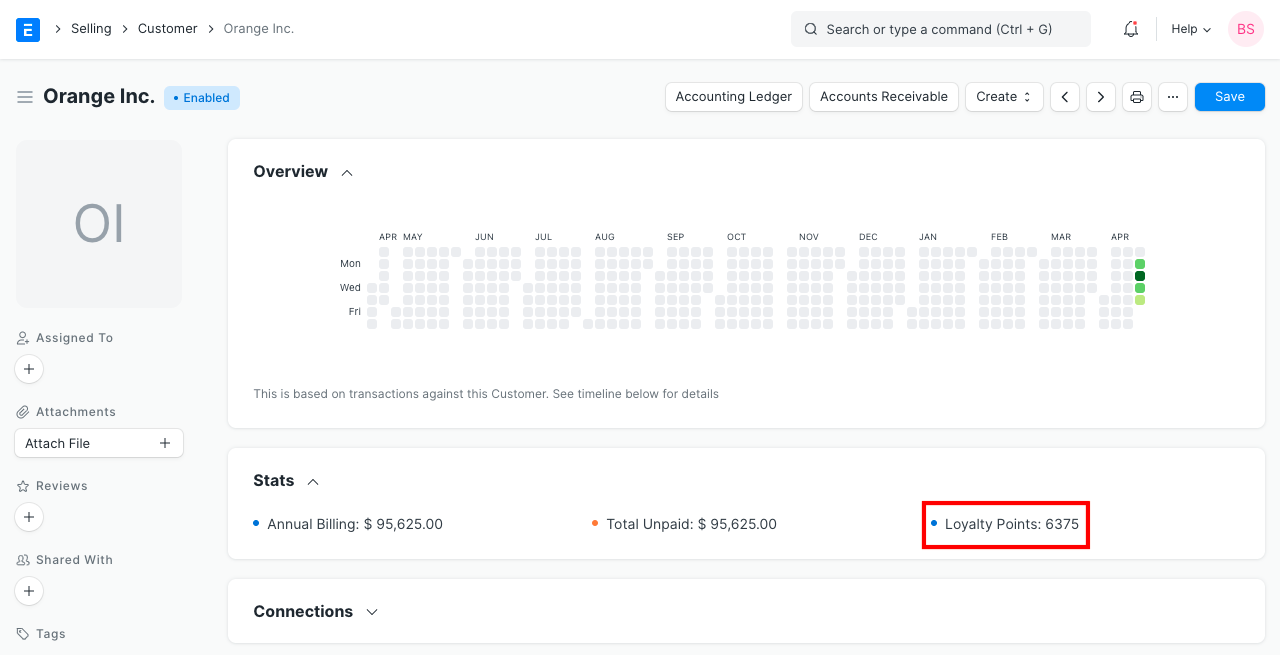
Loyalty points viewable in the Customer's dashboard is earned.
2.3 Loyalty Point Entry
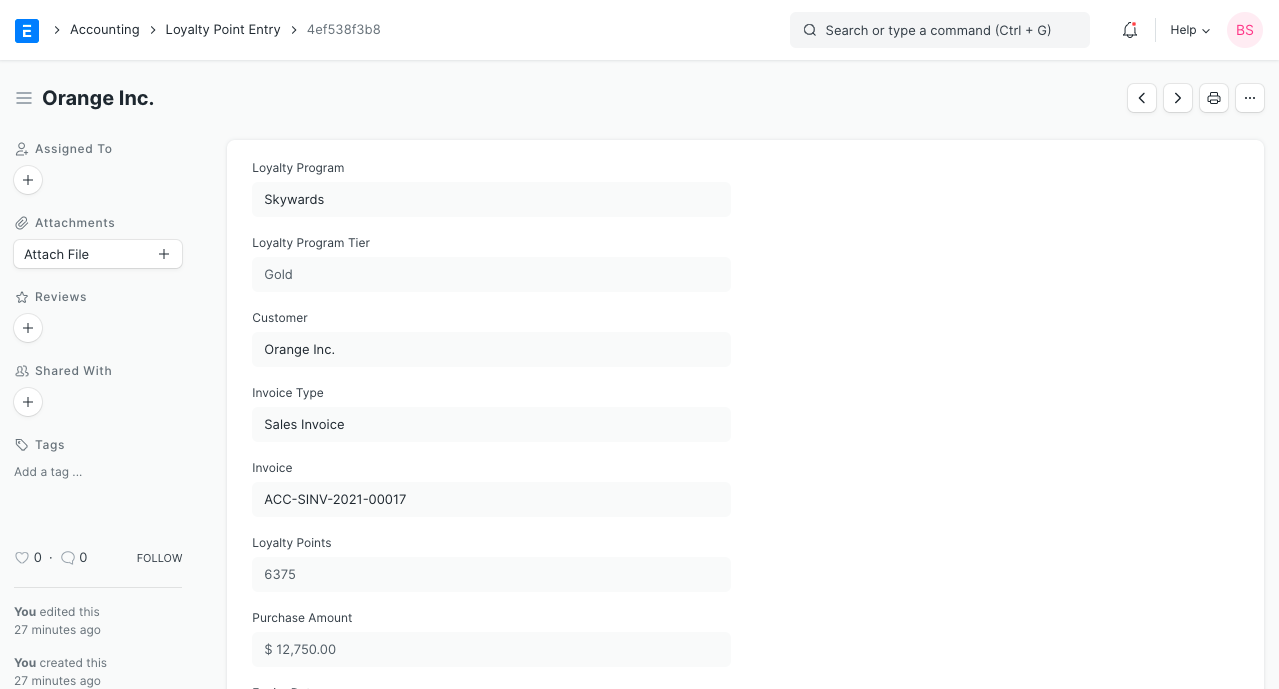
Activate Loyalty Point Entry by going to Accounts > Retail Operations. With the help of this, you can keep track of which Customers earned how many points in relation to which Sales Invoice. It stores the customer and invoice data.
3. How does a Loyalty Program work?
3.1 Earning Points
*The first step is to build a loyalty program, as was mentioned in the first part.
*Provide a customer this loyalty program's assignment.
*Generate a new sales invoice specifically for the customer to whom you have assigned the loyalty program.
*According to the loyalty program, a minimum of 2,000 INR must be spent to qualify for the Silver Tier collection element in this example's invoice, and the customer will receive 1 point for every 300 INR spent (hence the total points earned on this transaction is 15).
*After the invoice is submitted, a Loyalty Point Entry will be made for it (as shown above under Loyalty Program Entry section).
*In our Loyalty Program upon minimum spent of 6,000, Gold Tier would be eligible. So, when another invoice is submitted with the same value, the total sales from this Customer becomes 6,000. So now, the Customer will be automatically upgraded to the Gold tier.
A single invoice's minimum value is not the same as the minimum spent in the loyalty program. Instead, it refers to the total of all invoices for the Customer under a specific Loyalty Program plan.
3.2 Redeeming Points
*Let's build on the example from earlier, where we created one invoice and received 15 points as a result. Go to the Loyalty Points area and check the box labeled "Redeem Loyalty Points" when creating another invoice for the same customer. Use Loyalty Points
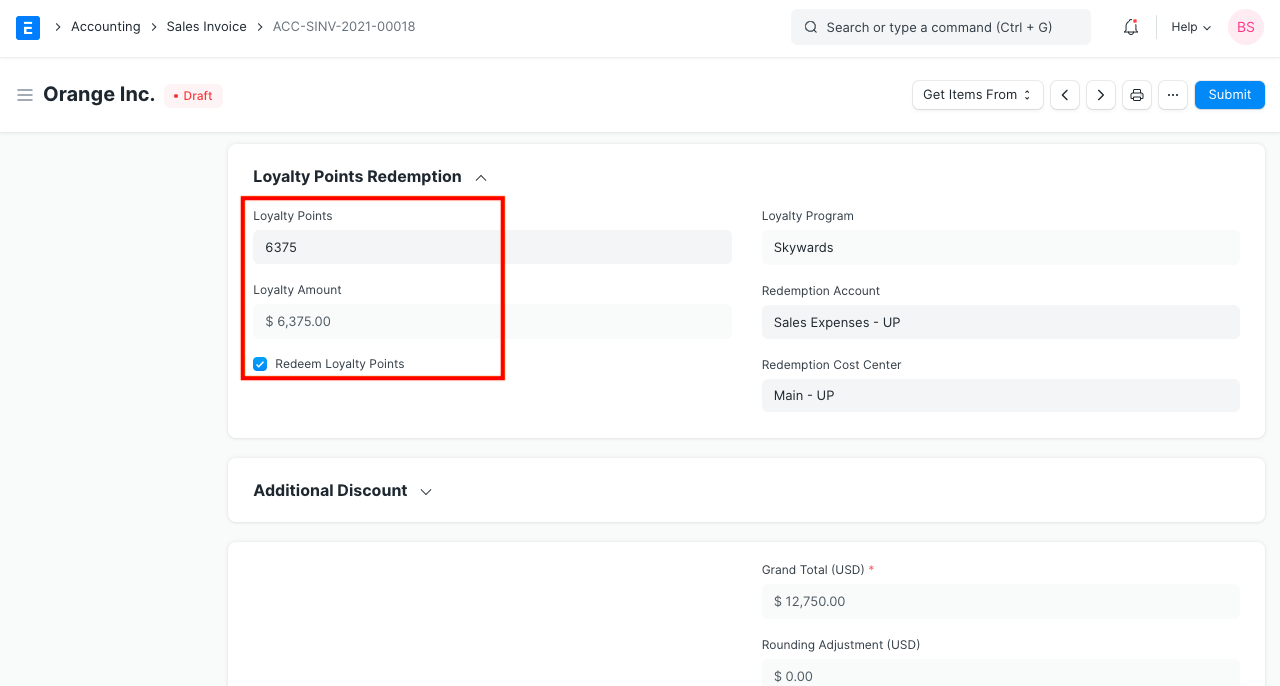
*Under this area, the "Loyalty Point," "Redemption Account," and "Redemption Cost Center" fields will become visible. The customer's designated loyalty program will be used to get the account and Cost Center.
*We can use every point up until expiration because the customer has accumulated 15 points. An error will be thrown if we attempt to use more than what we have.
*In the aforementioned case, 6375 points were spent for the redemption. By doing this, a different field will be made available and will show the amount determined using the formula (loyalty point * Conversion Factor). The sum will be reduced by USD 6375 because our "Conversion Factor" was "1."
*2 Loyalty Point Entries will be generated when the form is submitted. One for the current invoice and one for the redeemed, which will have a negative value.
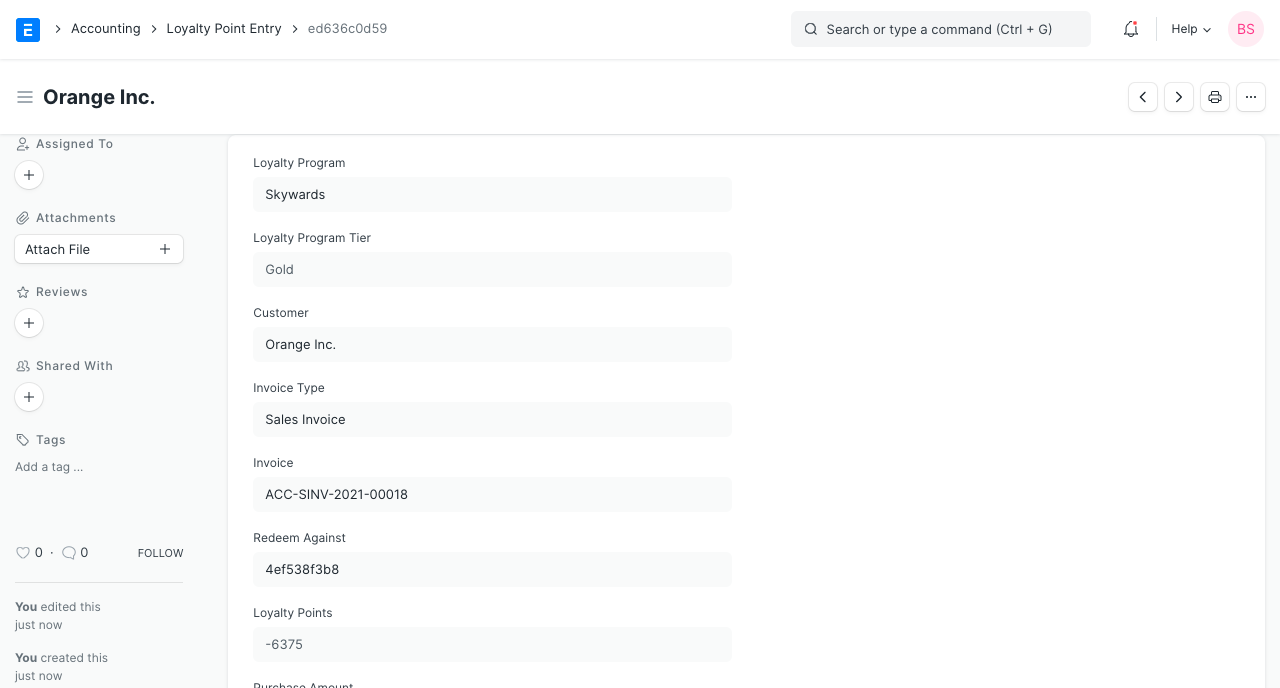
Note: If a return invoice is made for an invoice on which points have been earned, the original Loyalty Point Entry will be deleted, and a new one will be produced after deducting the returned amount from the original amount. Moreover, a subsequent Loyalty Point Entry for the cancelled invoice will be removed.