POS Invoice Consolidation
POS Invoice Consolidation
The sales from the POS session do not effect the stock and accounting ledgers until a Closing POS Voucher is submitted for that session in the Point of Sale's version 13 restructure in an effort to speed up the Point of Sale. It works as follows:
In order to keep things moving as quickly as possible, every transaction from the POS screen now generates an intermediary invoice (known as a POS Invoice) that doesn't change the stock or accounting ledgers. This is referred to as a "sub-ledger." The system is far more scalable when the POS ledger and the General Ledger are separated.
The ending of a POS session now involves a single sales invoice that combines all of the intermediate invoices generated during the day, creating the stock and accounting entries at the end of the day.
Just 3–4 ledger entries are created by this single consolidated sales invoice. The number of invoices produced throughout the day, 'n,' would result in n x 3 ledger entries under the previous approach.
Much fewer ledger entries are made, which reduces the workload on the general ledger and speeds it up.
How Stock is Tracked Until a POS Session is Closed The stock levels from this "sub-ledger" update the Stock Projected Quantity Report, despite the fact that the Stock Ledger will exclude transactions from any live POS session.
Stock > Stock Reports > Stock Projected Quantity
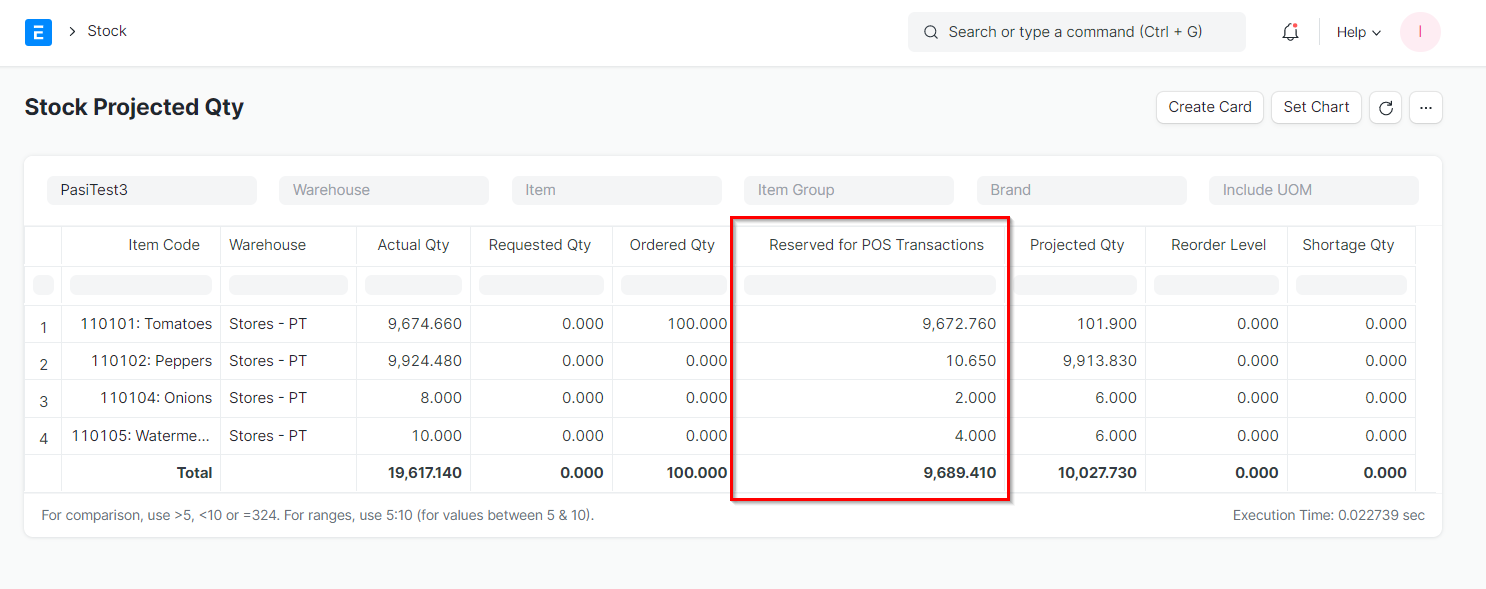
The value of the stock ledger is shown in the "Actual Qty" column in the image above. What quantities are currently reserved because of active POS sessions that haven't yet made entries on the Stock Ledger because the sessions haven't been closed indicates the "Reserved for POS Transactions" minus what quantities are actually available. Furthermore take note of the fact that "Projected Qty" (also known as "Active Qty" fewer quantities allocated for the POS, production, etc.) increases the first line item's amount by 100 due to an unfulfilled order for 100 units.
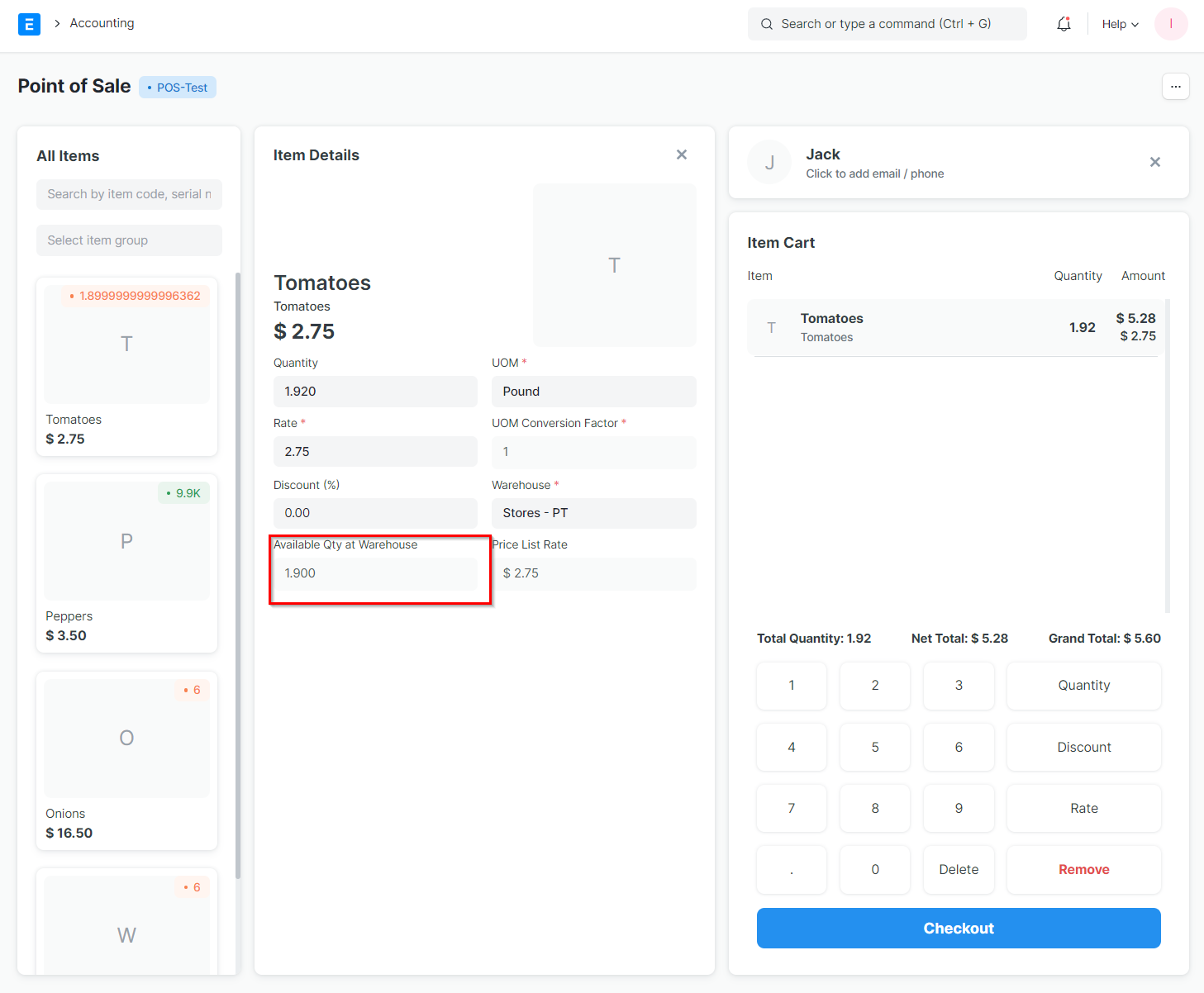
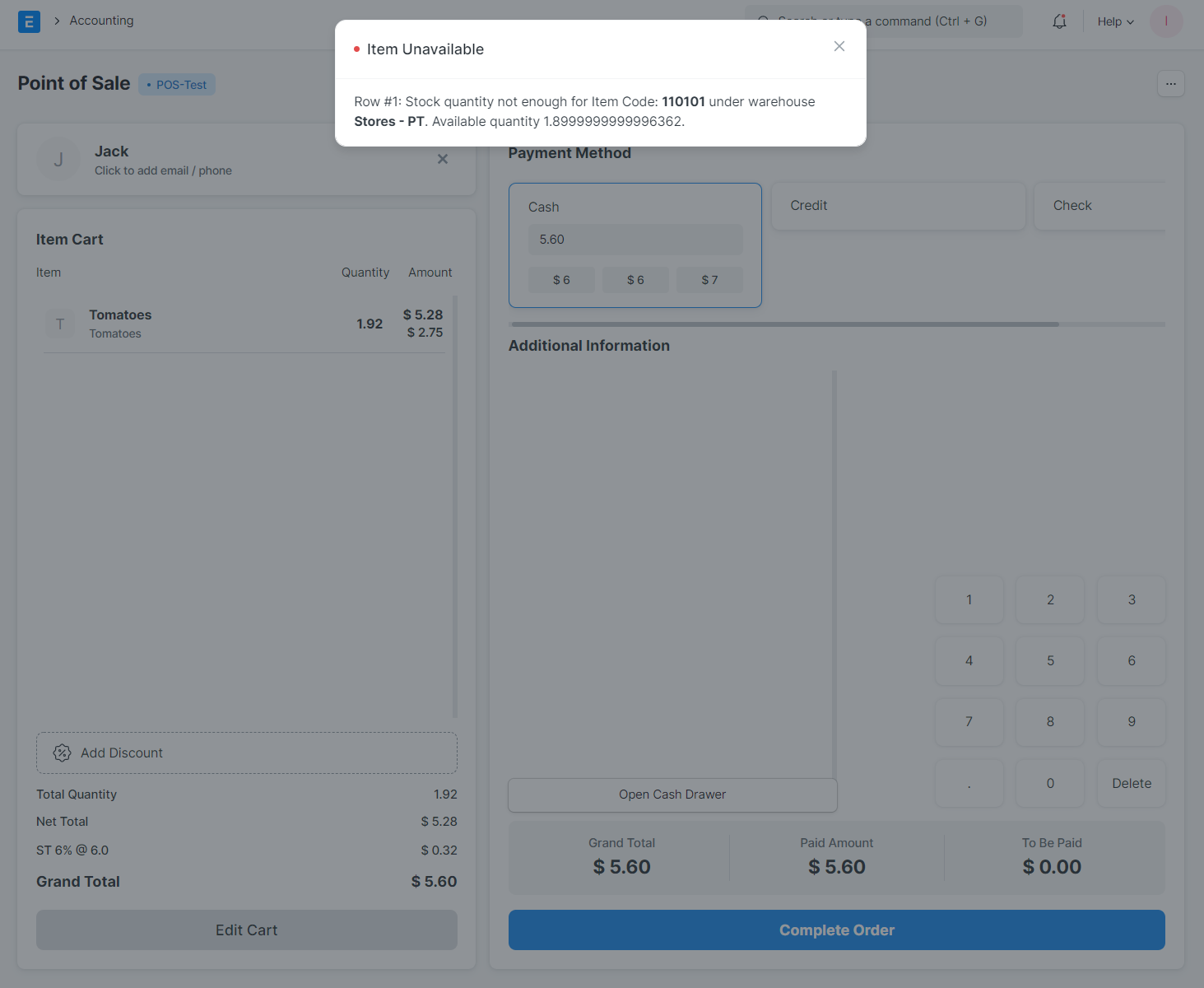
Nevertheless, on the Point of Sale, the "Available Qty at Warehouse" field in the Item Details view will not represent amounts that have been ordered but not yet received. As there is insufficient stock in the situation below, the transaction will not be approved. This is universally applicable to any and all open POS sessions that are open at any moment (as in, the transaction from one session affects the quantities available for all other open sessions).