Adjusting Withhold Amount
Adjusting Withhold Amount
Let's imagine that the amount still due on a Sales Invoice is $20,000. When making payment, the client will only pay 19,600. The remaining $400 must be recorded in the tax withholding account. This scenario can be handled as detailed below.
Step 1: Setup Withhold Account Create a Withhold Account in your Chart of Accounts.
Step 2: Payment Entry To make a Payment Entry, navigate to the unpaid Sales Invoice and click Make Payment.
Step 2.1: Enter Payment Amount Enter 19,600 for the Amount to Pay.
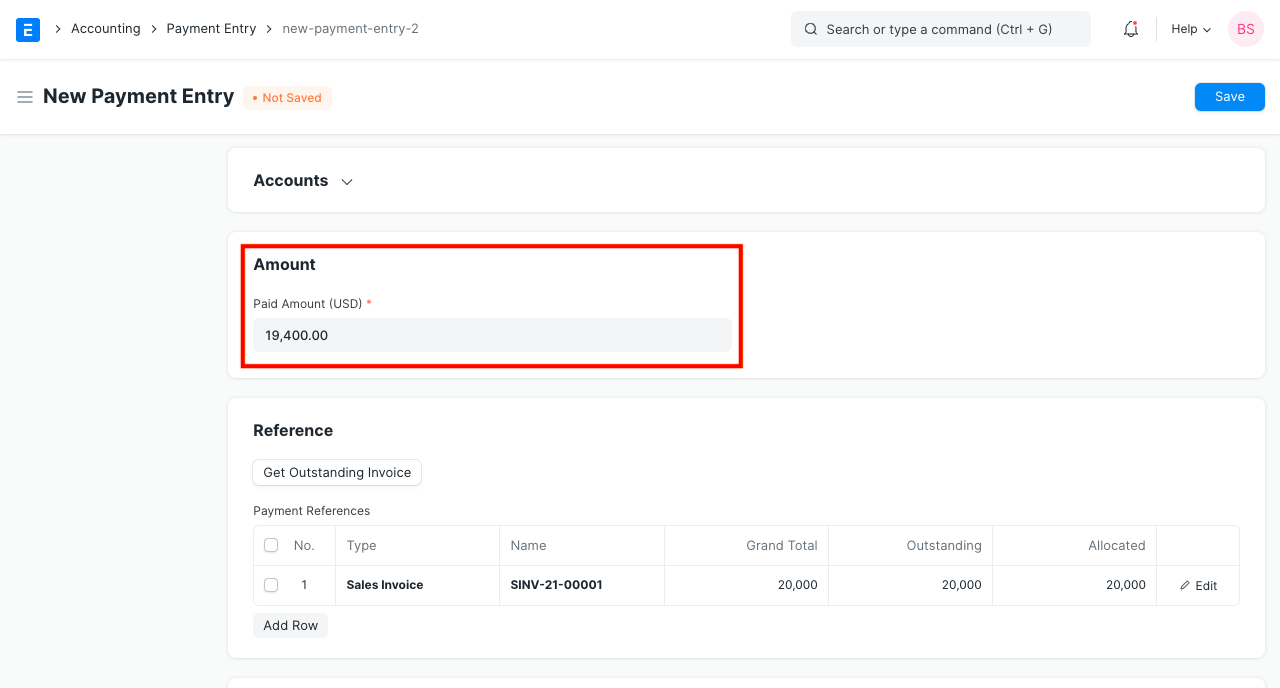
Step 2.2: Allocate Against Sales Invoice Against Sales Invoice, assign 20,000 (explained in GIF below).
Step 2.3: Add Deduction/Loss Account There is a $400 mismatch between the Payment Amount and the Amount Allocated Against Sales Invoice. This account can be recorded under Withhold Account.
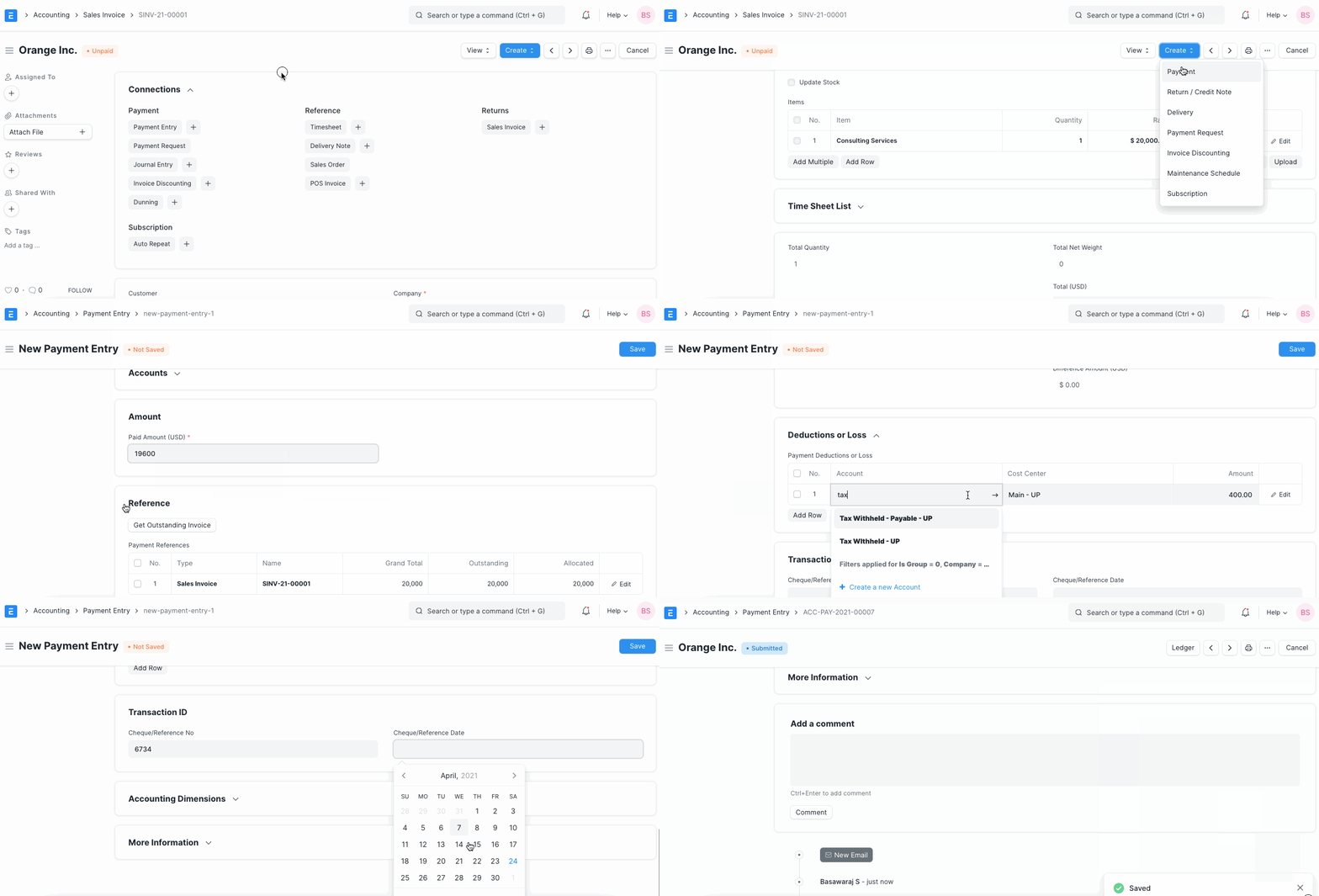
Using the same procedures, you may also control the discrepancy resulting from Currency Exchange Gain/Loss.