Loan Applications
Loan Application
Introduced in Version 13
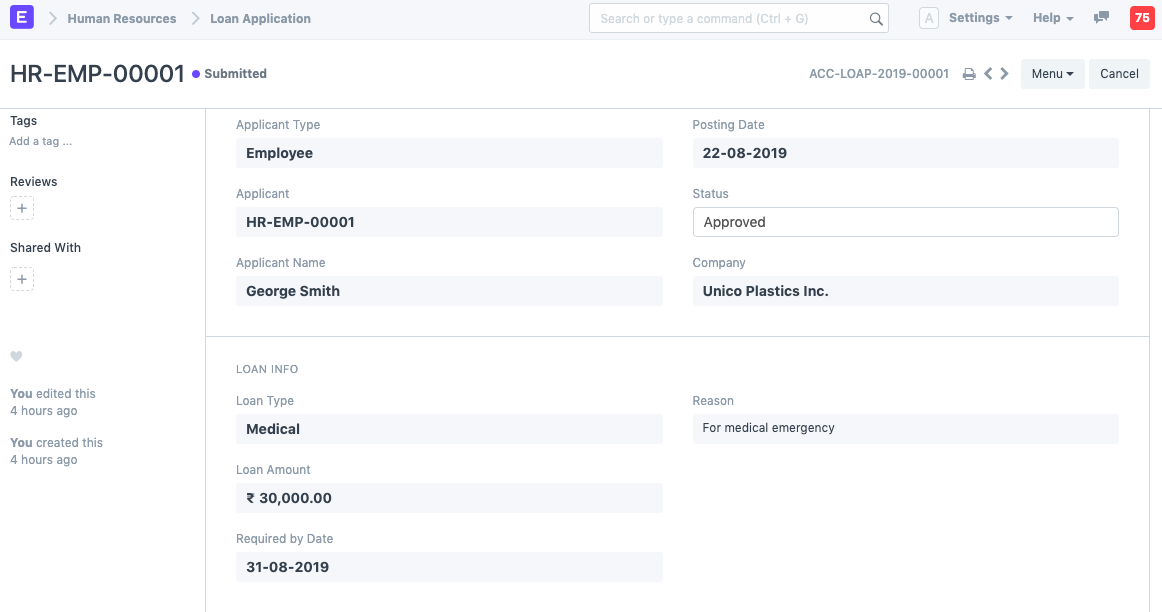
A loan application includes information on the borrower and loan security for review.
A customer or employee must submit a Loan Application for review as the first stage in the loan application process. A loan application may also include proposed loan securities in the case of a secured loan.
To access the Loan Application list, go to:
Home > Loan Management > Loan > Loan Application
1. Prerequisites
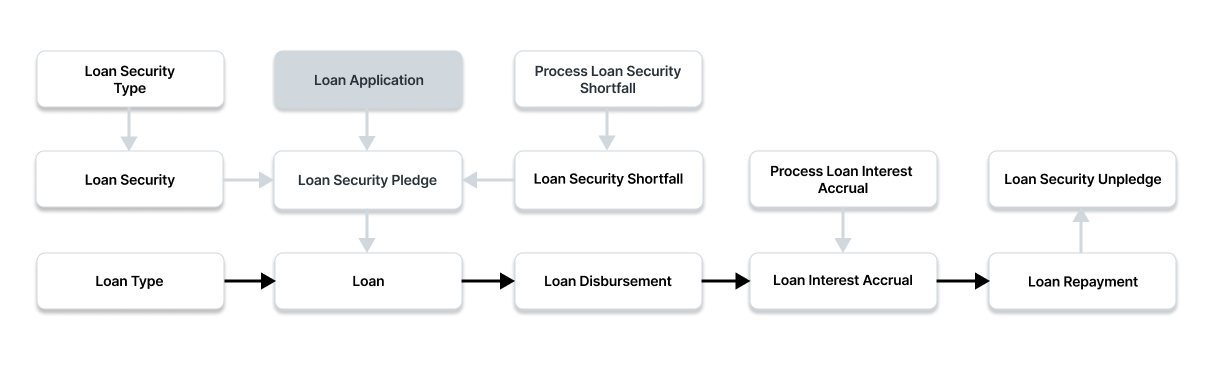
It is suggested that you first create the following before making and using a loan security:
- Loan Security Type
- Loan Security
- Loan Type
2. How to Create a Loan Application
Click New under Loan Application List.
A candidate type should be chosen.
Choose the candidate.
Choose a loan type. The Loan Type will automatically retrieve all of the loan information, including the interest rate and loan accounts.
Type the loan amount here.
Put the Repayment Method in if the loan is a term loan. You must enter the number of months in which the payback will be made in "Repayment Period in Months" if the Repayment Method is "Repay Over Number Of Periods." You must enter the "Monthly Repayment Amount" if the "Repay Fixed Amount per Period" repayment option is chosen.
The prospective securities that will be pledged as collateral for a loan may also be mentioned. To begin, check the "Is Secure Loan" option. After that, you can input the securities and their quantities in the suggested pledges table.
To save the loan application draft, click "Save."
To submit the loan application, click "Submit."
3. Features
3.1 Creating the Loan Security Pledge
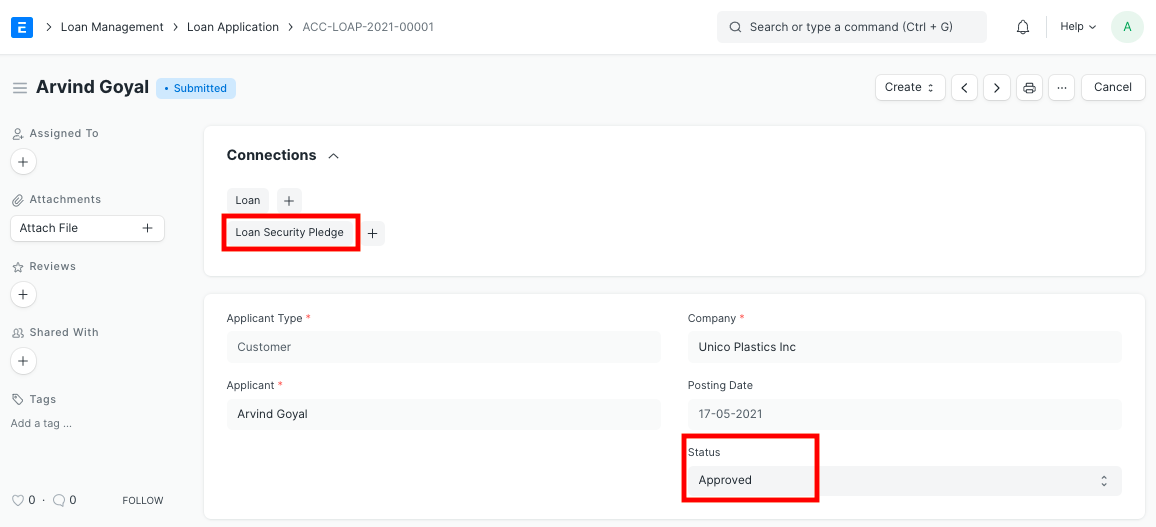
You can use the Create button in the upper right to generate a Loan Security Pledge based on the suggested securities from the Loan Application itself. Then, as an initial Loan Security Promise, this Loan Security Pledge may be affixed to a loan.
3.2 Submitting the Loan Application
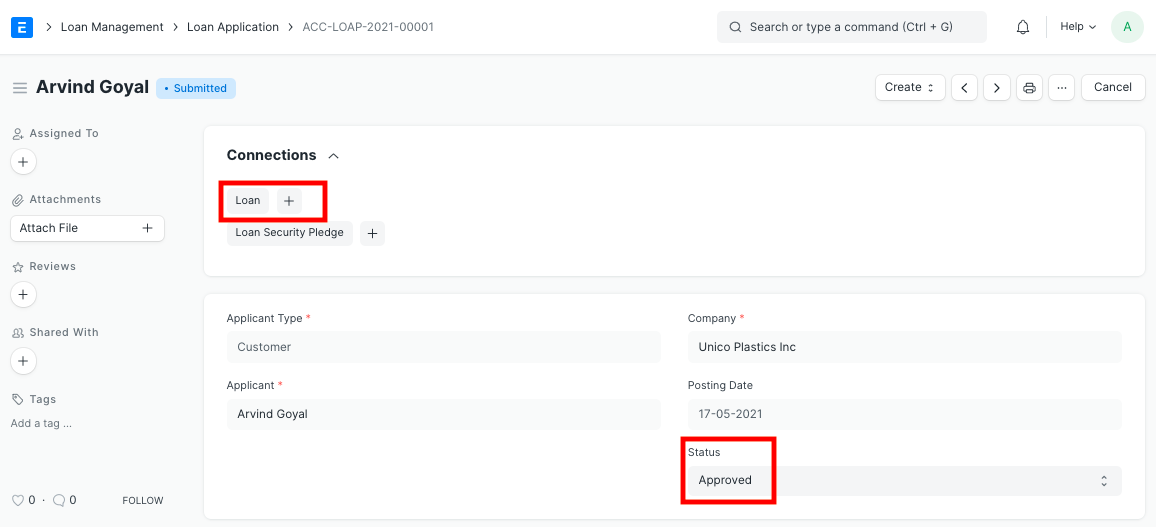
Once a loan application has been filed and authorized, you may use the Create button to establish a loan from it. The loan will then automatically map all of the loan application's necessary details.