Training Event
Training Event
You can organize conferences, workshops, seminars, and other types of training events as part of a training program.
With this function, you may also invite your staff to the event.
Go to: to access Training Event.
Home > Human Resources > Training > Training Event
1. Prerequisites
It is recommended that you generate the following documents before creating a training event:
- Training Program
- Employee
2. How to create a Training Event
1.Click on New in the Training Event list.
2.Type the Event Name here.
3.Decide on an event type.
4.Choose the Event Level (Beginner, Intermediate, Expert).
5.Type in the trainer's name, email address, and phone number. 6.Choose an event course. Enter the Training Event's Start Time, Finish Time, and Location.
7.In the Description box, you may also add a brief description of the Event.
8.Publish and save.
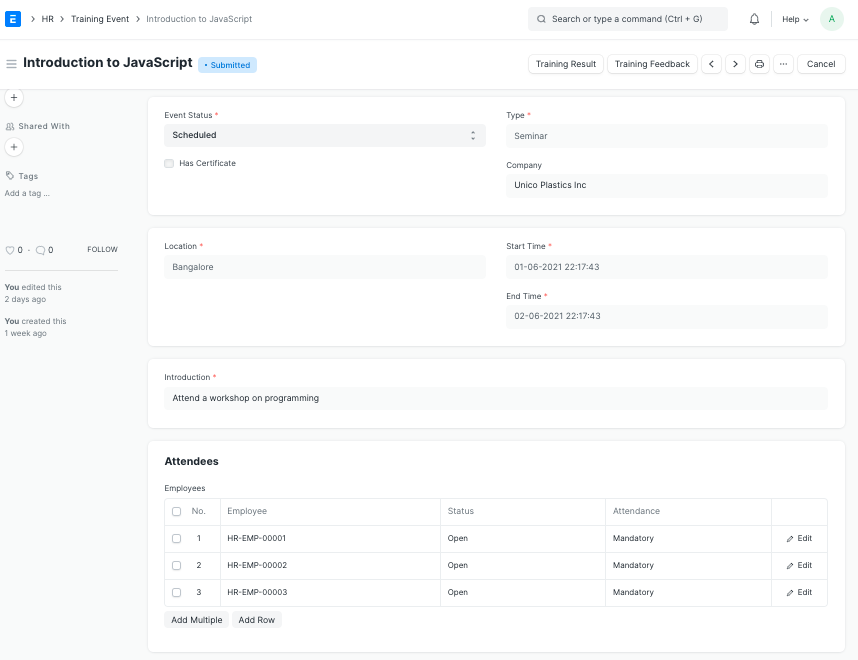
If the Training Event is a certified course, make sure the "Has Certificate" selection is selected.
3. Features
3.1 Inviting Employees for the Event
You can extend an invitation to your staff to the training event. You can do this by choosing the employees in the Employees table who you want to invite.
The employee's status will automatically be set to "Open."
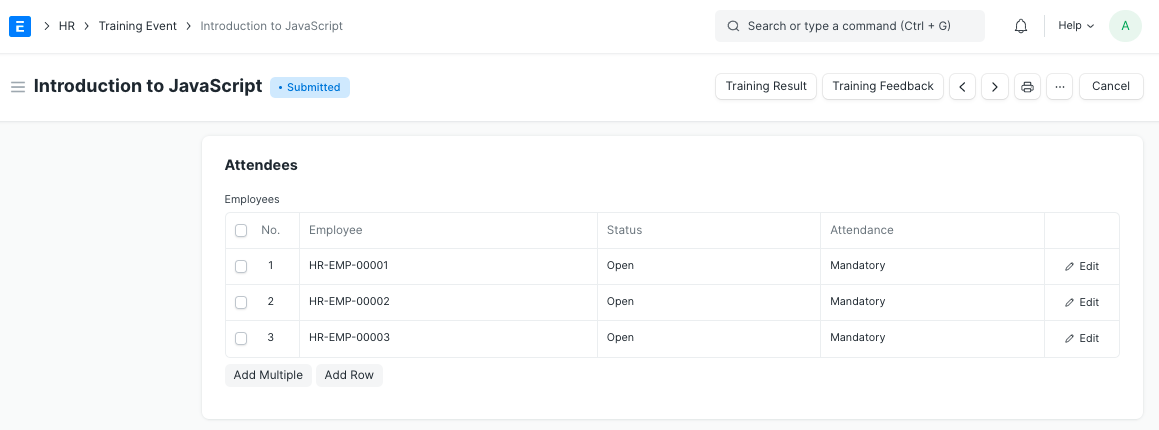
An employee will receive notified that the training has been booked when you submit the training event. This is delivered via the "Training Scheduled" email alert. This Email Alert can have its message customized.