Student Applicant
Student Applicant
When a student submits an application for admission to your institution, a Student Applicant record is created.
A student application is eligible for approval or rejection. You can include a student applicant in the student master by accepting their application.
Go to: to access student Applicant.
Home > Education > Admission > Student Applicant
1. Prerequisites
It is suggested to first create the following before generating a student applicant:
Academic Term
Academic Year
Program
2. How to create a Student Applicant
Click on New under Student Applicant.
Put the student applicant's first name here.
Input the student's application for the program.
Type the student's email address here.
Save.
.gif)
3. Features
3.1 Online Application via a Web Form
When a student submits an online application, a Student Applicant is automatically created. The system automatically creates the Student Applicant Online Form, which can be used to accomplish this. To obtain a list of every web form in the system, type "Web Form List" into the awesome bar.
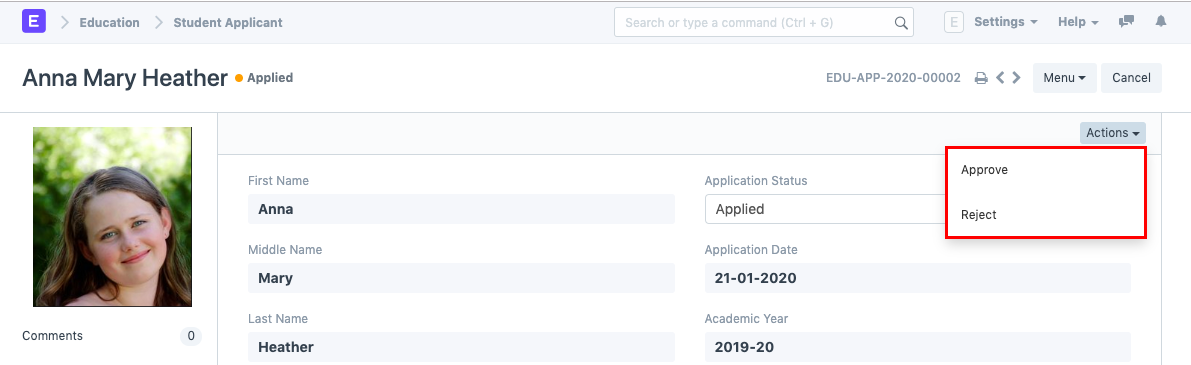
The status of the application is automatically set to "Applied" whenever the student submits it. The form has two options: "Approve" and "Reject".
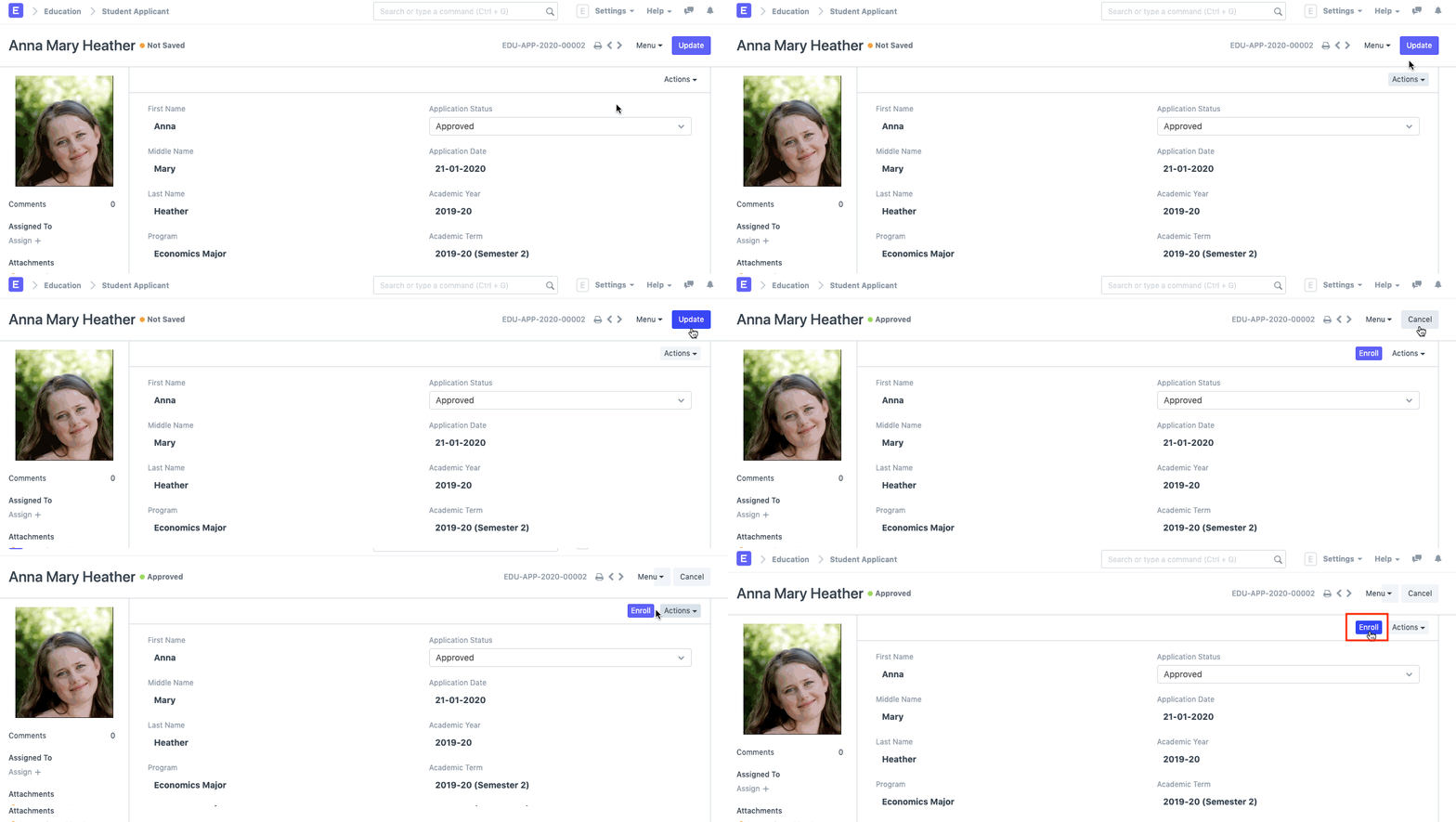
You can "Enroll" the student in a program after the application has been approved. The system will generate a student for that applicant when you click the Enroll button, and it will then send you to the Program Enrollment form.
You can "Enroll" the student in a program after the application has been approved. The system will generate a student for that applicant when you click the Enroll button, and it will then send you to the Program Enrollment form.