Program Enrollment
Program Enrollment
The record of a student's enrollment in a specific program and their chosen courses for a specific Academic Term is known as their program enrolment.
Students' Program Enrollments must be generated in order to guarantee that they are registered for a specific program in the system. While the elective or optional courses in that program can be individually chosen, the necessary course is automatically filled out in the Enrolled Courses table.
If a student has applied online for admission to a certain program and their application has been accepted, they can make a program enrollment by clicking the Enroll button from the Student Applicant record. Visit Student Applicant to learn more about this.
To access Program Enrollment, go to:
Home > Education > Admission > Program Enrollment
1. Prerequisites
It is advised that you first create the following before generating a program enrollment:
Student
Program
Student Category
Student Batch
Academic Year
Academic Term
Course
Fee Structure
2. How to create a Program Enrollment
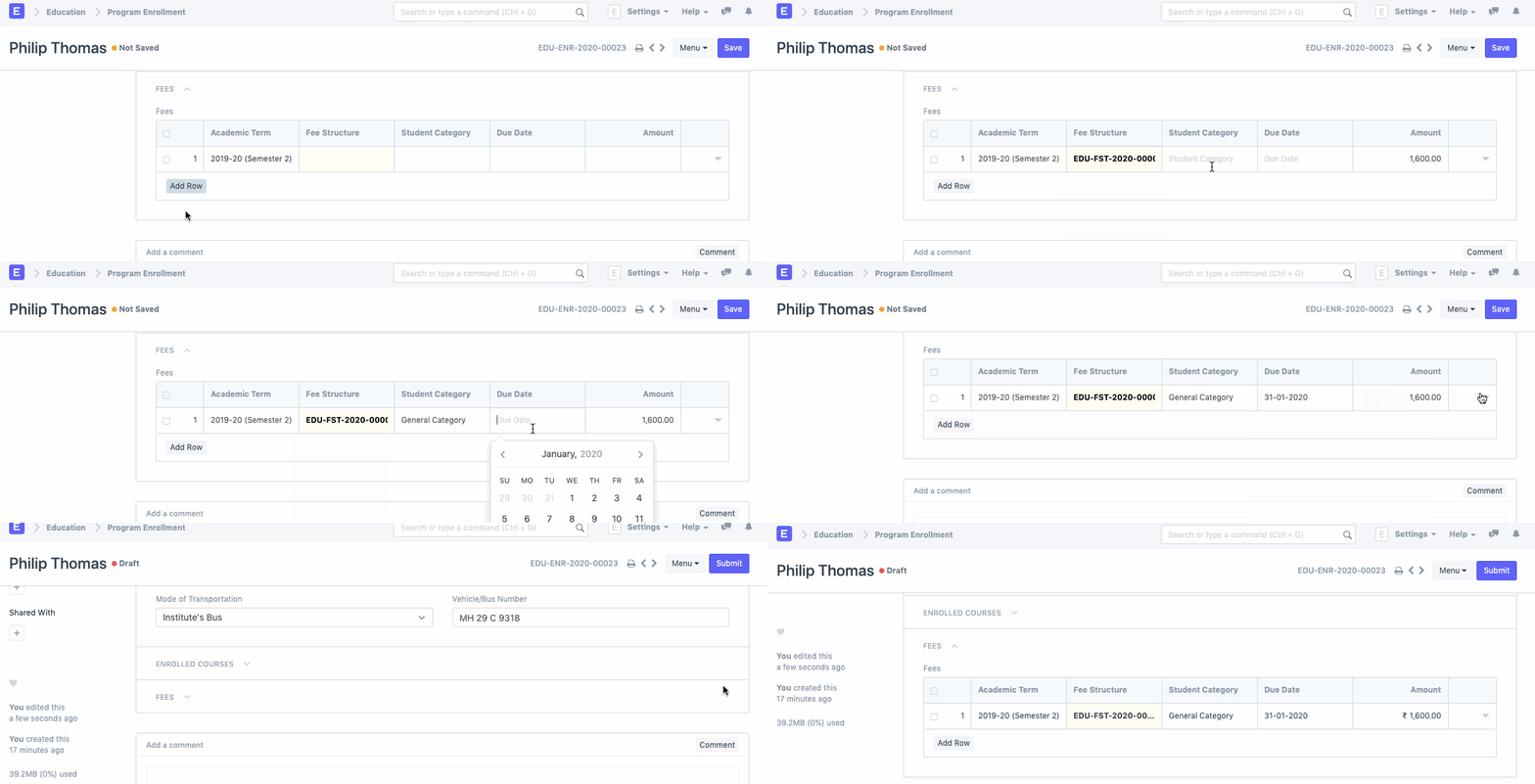
Click on new under Program Enrollment List.
Choose the student you wish to enroll in the program.
Choose the program for which you will enroll the student.
Type in the academic year that the student will be enrolled in.
The Enrollment Date for the form is normally set to the current date, however it can be altered if necessary.
Publish and save.
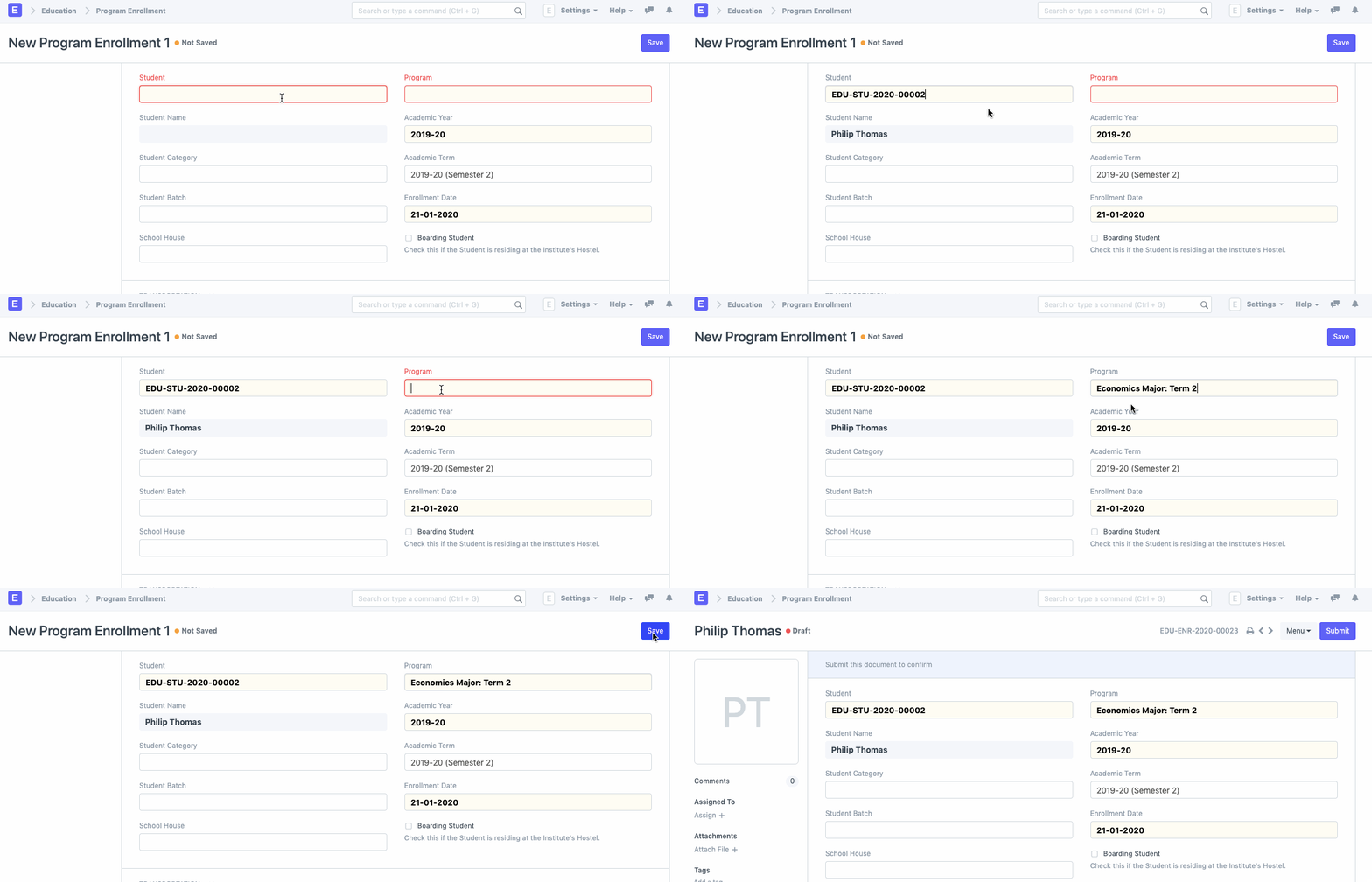
2.1. Additional Options while creating a Program Enrollment
Student Category: If the student falls under one of the student categories, choose that category.
Academic Term: Decide on an academic term.
Student Batch: If the student is a member of a specific batch of students, choose the batch.
Student House: If the student is a member of a specific student house, choose the House.
Boarding Student: If the student is staying in the institute hostel, make sure to check this. The pricing schedule would be revised appropriately in this situation.
3. Features
3.1. Transportation
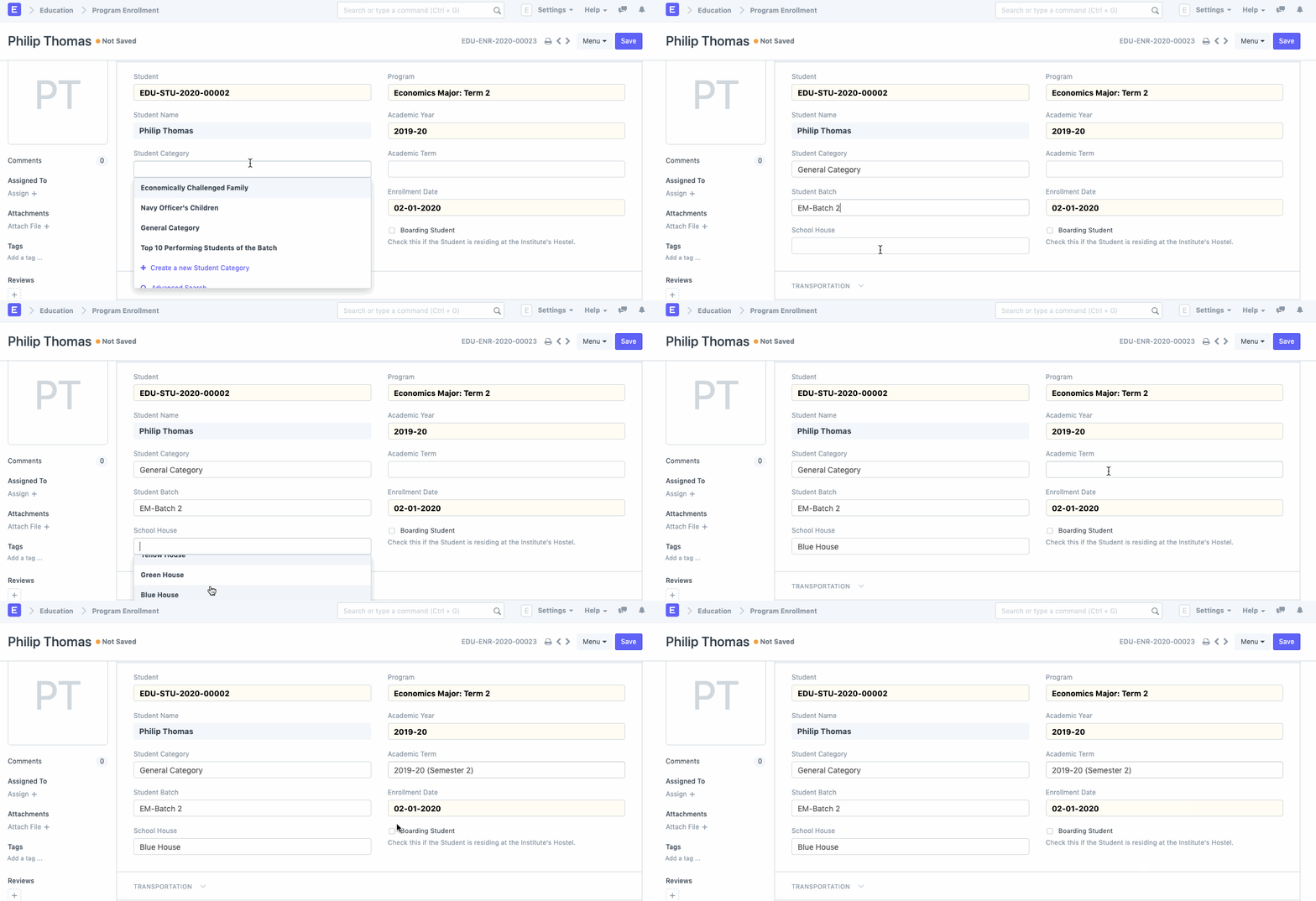
Choose the student's mode of transportation to and from the school, along with the vehicle number
3.2. Enrolled Courses
Choose and add the courses that the student has chosen to take while enrolled in the program.
3.3. Fees
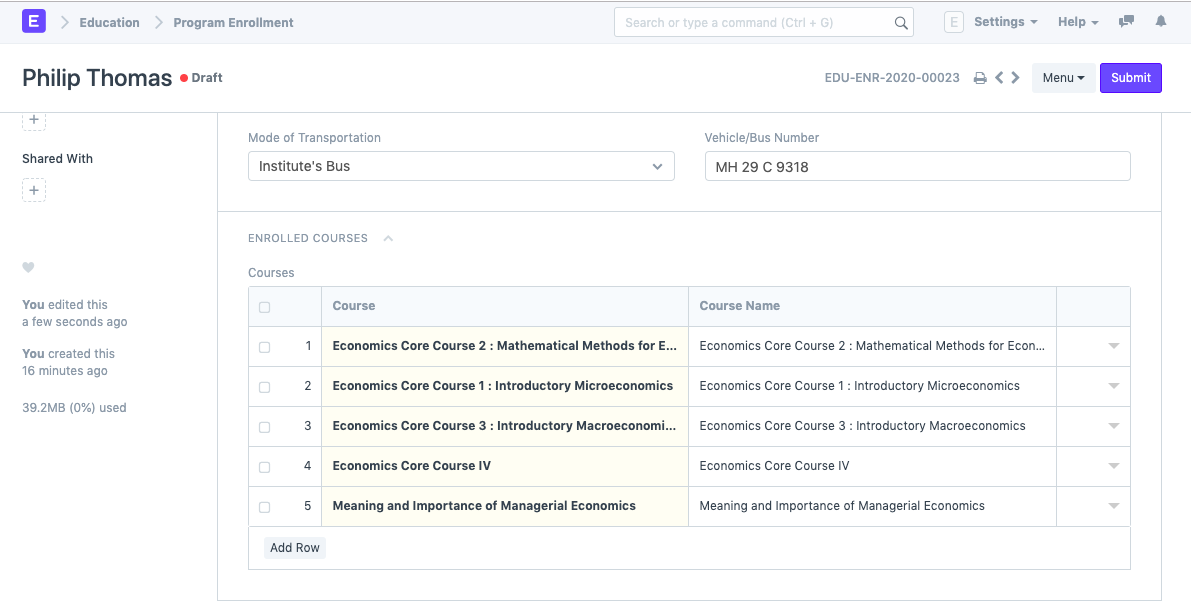
The student must choose and add the Academic Period, Fee Schedule, Student Category, Fees Due Date, and Fees Amount before enrolling in the course.