Selling in Different UoM
Selling in Different UoM
The UOM you use to price products is known as a sell price unit of measure (UOM). For any inventory item, you can have more than one sell price UOM. But, UoM for an item may alter when the customer places an order.
An item pen, for instance, is kept in Nos but sold in Box. Thus, we'll create a sales order for a pen in a box.
Step 1: List all possible units of measurement for an item along with their conversion factors in the Unit of Measure section of the Item Master. UoM Conversion Factors Update If you receive 10 pens in one box, the UoM conversion factor would be 10.
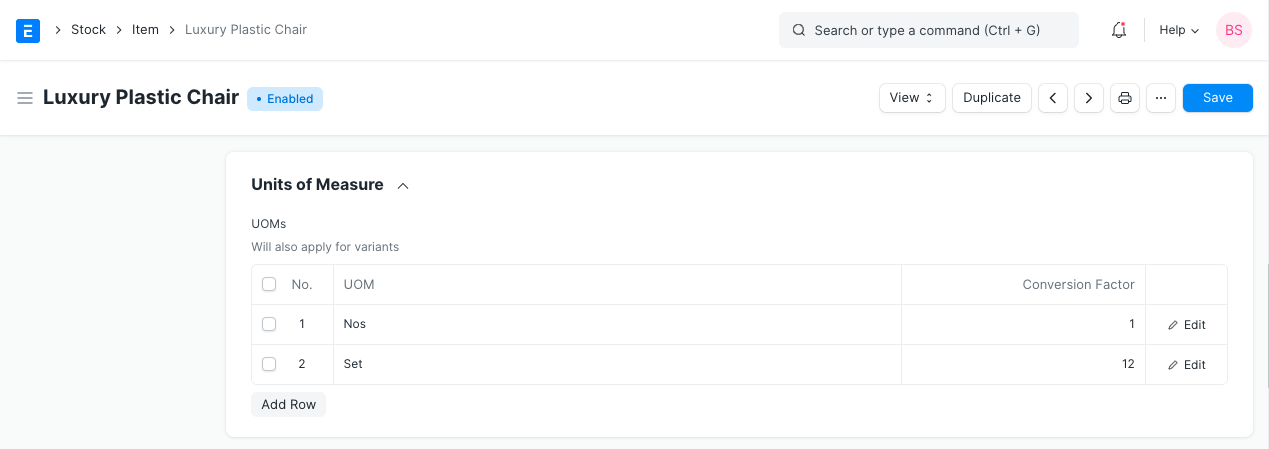
Setp 2: There are two UoM fields in the Sale Order.
- UoM
- Stock UoM
The item's default UoM will automatically be retrieved in both fields. Edit the UoM field, and then choose Sell UoM. (Box in this case). The major purpose of updating Sales UoM is for the customer's reference. You can see item quantity in the Sales UoM in print format.
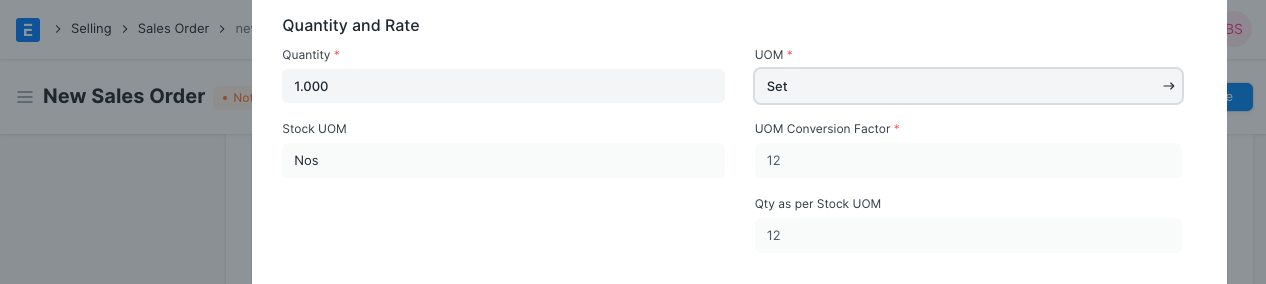
The quantity will be determined in the Stock UoM of an item based on the quantity and conversion factor. If you just sell one Box, the quantity will be set to 10 according to the stock UoM.
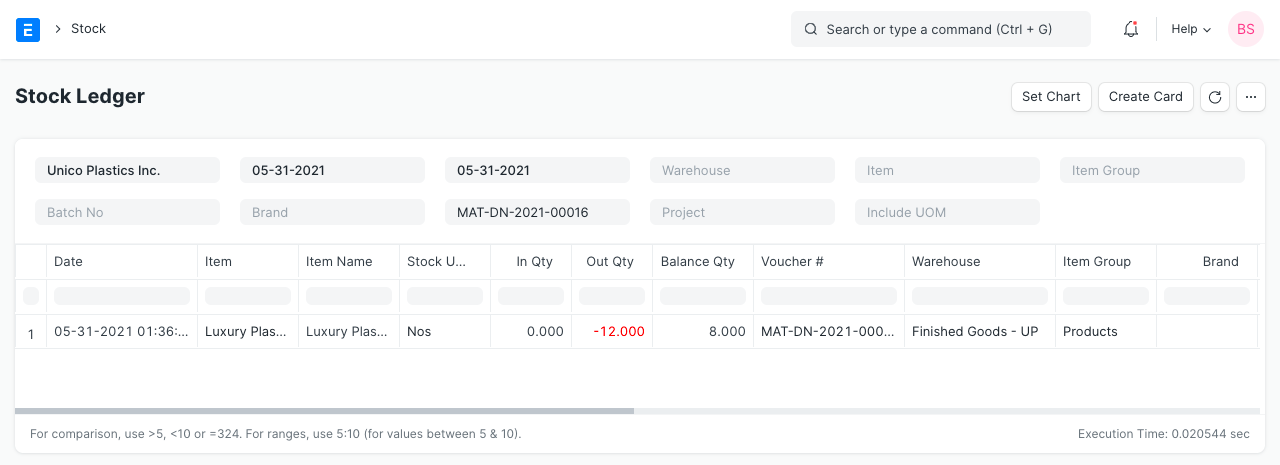
Stock Ledger Posting
Stock ledger posting will be completed in the Default UoM of an item regardless of the Sales UoM choice made in the Sale Order. So, while selling items in other UoM, you should make sure that the conversion factor is entered accurately.